feature
All-in-one DRM Removal

The Ultimate DRM Removal Program and DRM Media Converter

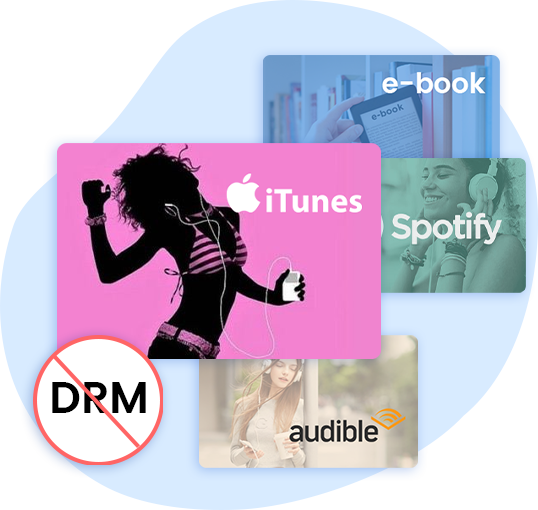
As a complete suite of top-notch DRM-removal program, Leawo Prof. DRM integrates DRM video converter, DRM music converter, DRM audiobook converter, DRM eBooks converter and DRM Spotify converter for breaking the limits of entertaining on specified devices only. With Prof. DRM, the DRM protection from non-Windows store version of iTunes (from 12.9 to 12.11) M4V video/M4P music/M4B audiobook will be removed and converted to DRM-free MP3, MP4 format, and eBooks from Amazon kindle, Kobo, Adobe can be converted to DRM-free epub, mobi, azw3, txt. What's more, DRM-protective Spotify music will be converted and downloaded as DRM-free file for listening wherever and whenever you like.
Prof. DRM Video Converter

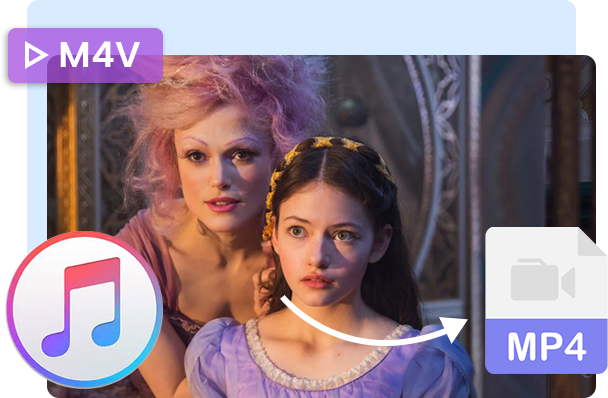
Convert iTunes DRM-protected M4V movie and TV show to DRM-Free MP4

Leawo Prof. DRM can serve as an iTunes video converter in 64-bit PC since it is able to remove DRM and convert iTunes M4V movies and TV shows to MP4 at 5X higher speed with 100% original quality reserved, Dolby 5.1 surround sound audio tracks and subtitles selectable for playing on any device.

Buy Prof. DRM Video Converter Module Now
feature
feature
Prof. DRM Audiobook Converter

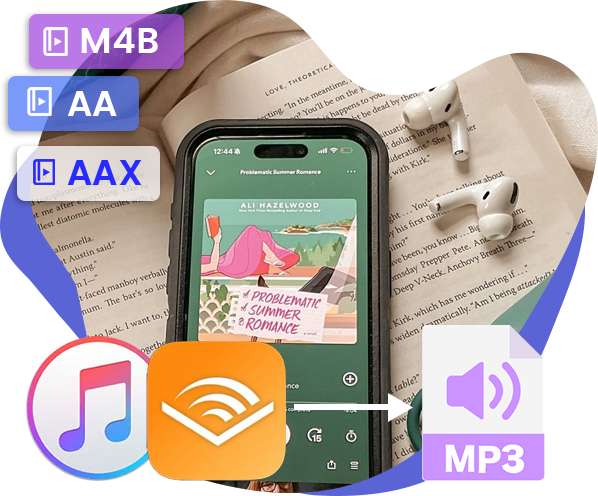
Remove DRM from M4B, AA, AAX files and convert any Audible AA, AAX file to MP3, even without iTunes authorization

Leawo Prof. DRM works as an all-in-one DRM remover for iTunes audiobooks and Audible audiobooks. It supports to remove DRM from iTunes M4B, AA, AAX audiobooks from Amazon, then convert them to non-DRM mp3 format at 5X higher speed with lossless quality, channels, sampling rate and bit rate selectable in 64-bit computer. With the advanced DRM decrypting processor, Leawo Prof. DRM upgrades to independently remove DRM protection from Audible AA, AAX audiobooks with no need to authorize iTunes account, then convert AA and AAX to MP3 so that you can freely enjoy iTunes audiobook on many other devices, not just Apple’s.

Buy Prof. DRM Audiobook Converter Module Now >>
Prof. DRM Music Converter

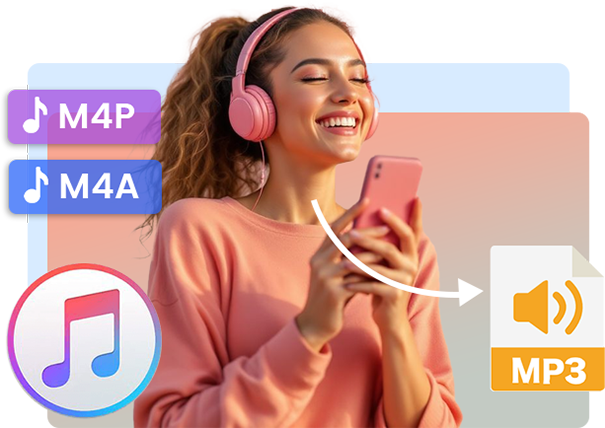
Convert iTunes DRM-Protected M4P and non-DRM iTunes M4A Music to MP3

Leawo Prof. DRM can also work as an iTunes music converter in 64-bit computers because of its function of converting DRM-encrypted iTunes M4P and non-DRM iTunes M4A music to MP3 at 5X higher speed with original quality kept and channels/sampling rates/bit rates selectable so that you can freely transfer the DRM-free iTunes music songs to any media players and mobile devices for unlimited enjoyment.

Buy Prof. DRM Music Converter Module Now >>
feature
feature
Prof. DRM Spotify Converter

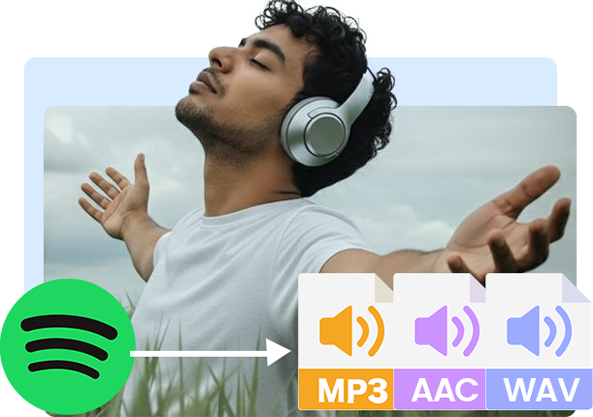
Remove DRM-protection on Spotify music and convert Spotify songs to MP3/AAC/WAV... for offline listening on any devices.

The all-round DRM removal program - Leawo Prof. DRM can work as Spotify music converter to remove DRM from Spotify music and convert Spotify music to MP3, M4B, M4A, AAC, WAV, FLAC audio files. The Spotify Converter not only removes DRM from Spotify music track, album, and even playlist but also allows batch Spotify music conversion. All converted songs perfectly retain 100% quality from original Spotify songs. Besides, for higher music quality, this program allows to edit Spotify music parameters by adjusting the audio channel, bit rate, sample rate etc. With this program on hand, Spotify users will no longer be bothered by the Spotify advertisements or download limitations for offline listening on other devices like Apple iPod, iPhone, iPad, etc.

Buy Prof. DRM Spotify Converter Module Now >>
Prof. DRM eBook Converter

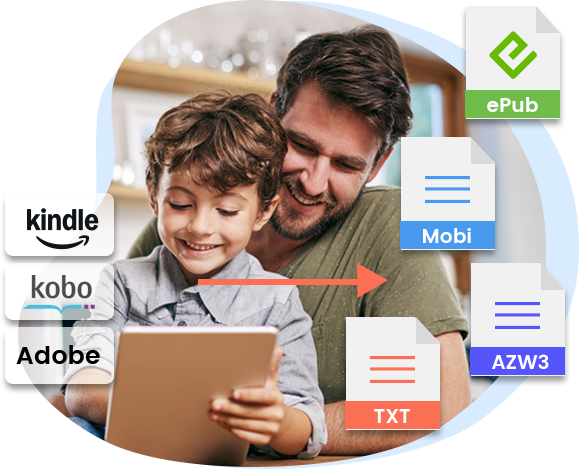
Convert DRM-protected eBook from Kindle, Kobo, Adobe to DRM-free epub, mobi, azw3, txt, etc., format

Leawo Prof. DRM can act as eBook Converter owing to it’s powerful ability of removing different types of DRM protection from eBook including Amazon Kindle, Kobo, Adobe. Removing DRM in epub, mobi, azw3, azw, kfx, prc, html, txt and converting to DRM-free format including epub, mobi, azw3, txt at 5X higher speed with lossless quality of the original one makes it the all-inclusive DRM remover up to now. You can also add the DRM-free eBook to convert to epub, mobi, azw3, txt, etc. So that you can share the non-DRM eBooks to any devices with your friends freely.

Buy Prof. DRM eBook Converter Module Now >>

Note: This program temporarily does not support the versions of Kindle software: 1.25 and later
feature
Key FeaturesKey FeaturesKey FeaturesKey Features
  • 1:1 Input to Output without Quality Loss

    Key Features
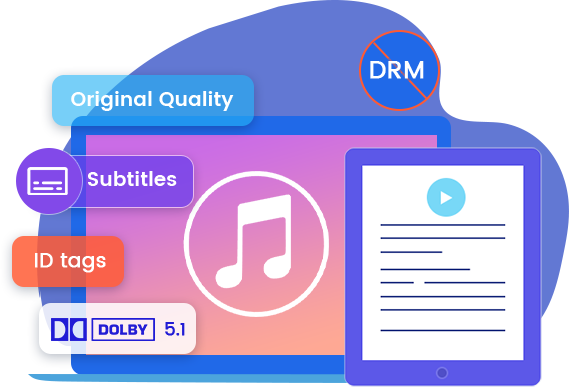
    Prof. DRM can reserve 100% original quality after converting the DRM-protected iTunes video/music/audiobook, Audible AA/AAX audiobooks to MP4 and MP3, and Spotify music to 10 available DRM-free audio formats. What’s more, the ID tags including artist, albums, composer, year and other data information from Spotify and iTune music will all be kept after converting.
  • Audio Tracks, Audio channel, Subtitles, Sound Track, Sampling Rate, Bit Rate Selectable

    Key Features
    Prof. DRM enables user to output multiple audio tracks and subtitles in converting iTunes videos. When decrypting and converting audios from iTunes music/ audiobook /Audible audiobook, Prof. DRM allows user to freely choose different sound tracks, sampling rates and bit rates for keeping in output MP3 file. What’s more, Prof. DRM enables users to freely select audio channel, sample bit, bit rate and audio formats for a better audio output in bypassing DRM protection and downloading Spotify music.
  • Support for Dolby 5.1 Surround Sound Output when converting iTunes video

    Key Features
    With advanced tech planted, Prof. DRM retains all audio channels in MP4 output from source iTunes videos files, like Dolby 5.1 surround sound, providing extremely excellent surround sound experience on any devices.
5X Faster Speed

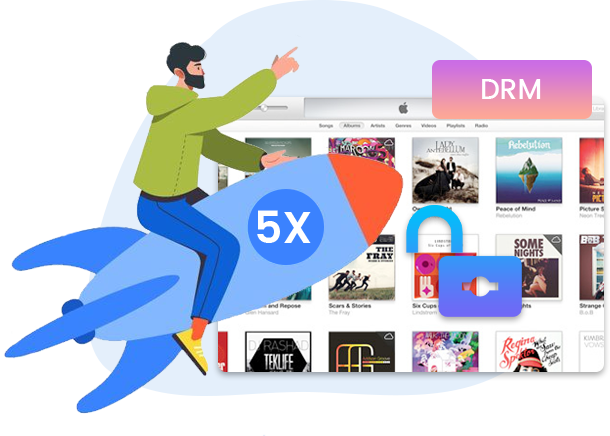
5X Faster to Remove DRM

With the most advanced DRM decryption tech planted, Leawo Prof. DRM can directly removes DRM protection from iTunes M4V videos (movie and TV show), M4P music, M4B audiobook and Audible AA/AAX audiobook, and then convert M4V, M4B, M4P, non-DRM M4A, AA and AAX to MP4 and MP3 at 5X higher speed, surpassing any other similar iTunes DRM removal program.
feature

Real Movie DRM Removal Show

Movie/Video Info Video Quality Video Length Video Information (Resolution, Size, No. of Audio Tracks and Subtitles) Removal Time
Star TrekBeyond SD 00:12:11 720x478, 188M, 3 Audio Tracks 6 Subtitles 00:01:32
X-Men Apocalypse SD 01:42:00 720x362, 1.63G, 4 Audio Tracks 33 Subtitles 00:22:20
Captain America Civil War HD 02:23:00 1280x688, 4.51G, 2 Audio Tracks 2 Subtitles 00:16:05
The Legend of Tarzan 1080P HD 00:46:23 1916x1076, 1.89G, 2 Audio Tracks 1 Subtitle 00:05:08
Zootopia 1080P HD 00:46:24 1916x1076, 1.87G, 2 Audio Tracks 1 Subtitle 00:04:49
Ghostbusters 1080P HD 00:42:55 1916x1076, 1.74G, 2 Audio Tracks 1 Subtitle 00:04:20

Real Music DRM Removal Show

Music Keep Me Keep Me
Length/Size/Channel 4:36
9.23MB
2 Channel
4:36
9.23MB
2 Channel
Bit Rate 256bp 320bp 192bp 160bp
Sampling Rate 48000HZ 44100HZ 32000HZ 44100HZ
Time 8.4s 8.5s 7s 8.3s 8.6s 8.3s

Real AudioBook DRM Removal Show

AudioBook Go for No! Yes is the Destination, No is How You Get There Go for No! Yes is the Destination, No is How You Get There
Length/Size/Channel 1:33:35
42.6MB
2 Channel
1:33:35
42.6MB
2 Channel
Bit Rate 64bp 56bp 48bp 40bp
Sampling Rate 22050HZ 11025HZ 8000HZ 22050HZ
Time 82s 79s 76s 88s 81s 79s
Download Leawo Prof. DRM for Mac Now !
  • 20+ Years Experience

  • 10,000,000+ Happy Clients

  • 100% Safe & Clean

  • 100+ Countries

How to Convert iTunes Video

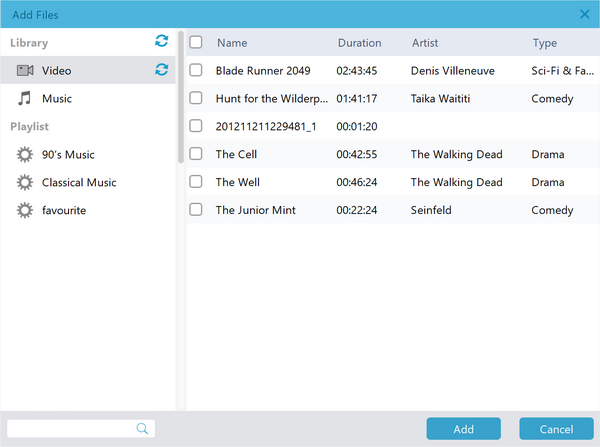
Step 1: Add iTunes video

Open the “Video&Music Converter” module and then click the “Add Files” button to add iTunes videos.

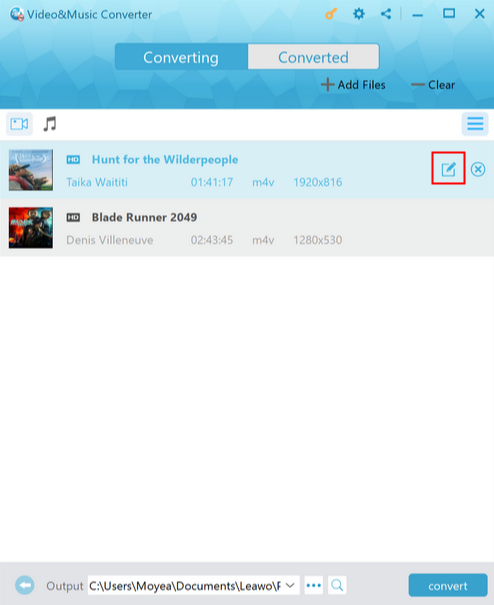
Step 2: Select subtitles and tracks

Click the pencil icon to choose subtitles and audio tracks for output.

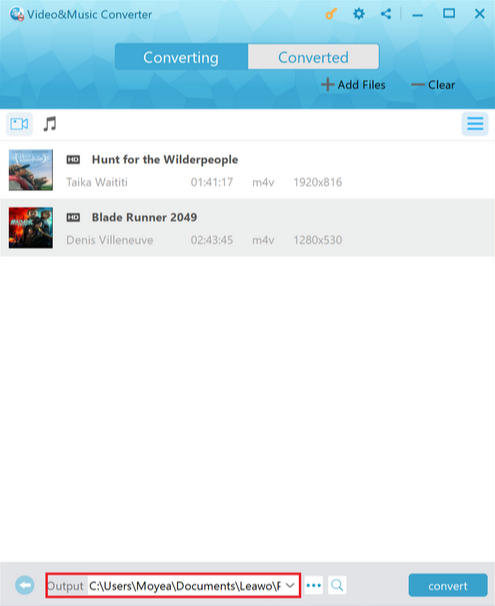
Step 3: Set output directory

Click the “Output” button at the bottom let corner to set output directory.

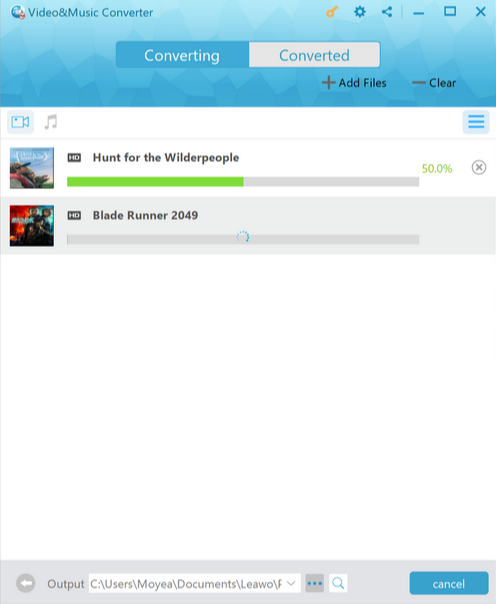
Step 4: Start converting iTunes video

Click the blue “Convert” button to start converting iTunes M4V videos to MP4 files.

Visit Full User Guide >
Step1 Step2 Step3 Step4

How to Convert iTunes Music

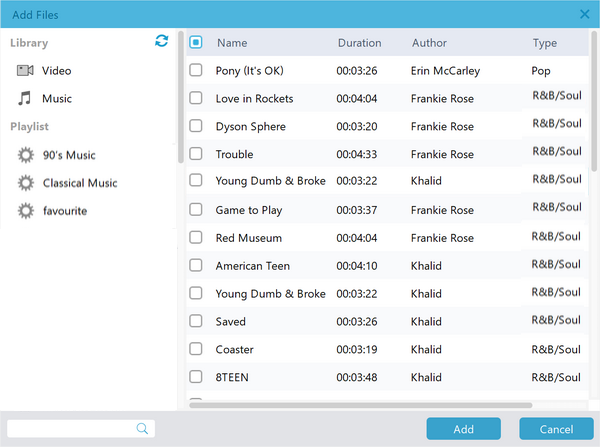
Step 1: Add iTunes music

Open the “Video&Music Converter” module and then click the “Add Files” button to add iTunes music.

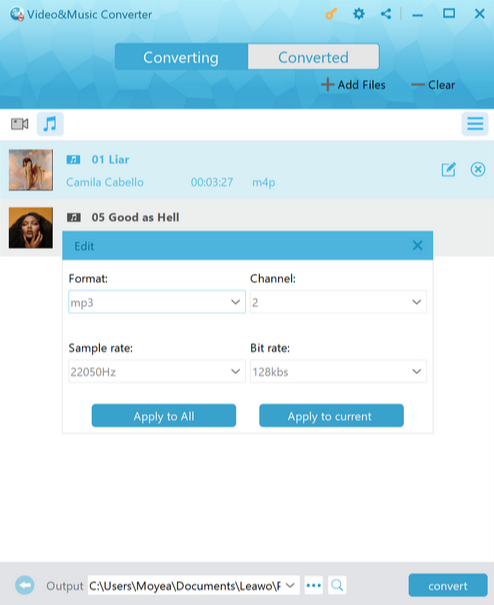
Step 2: Set output format

Click the pencil icon to output format, channel, sample rate, bit rate.

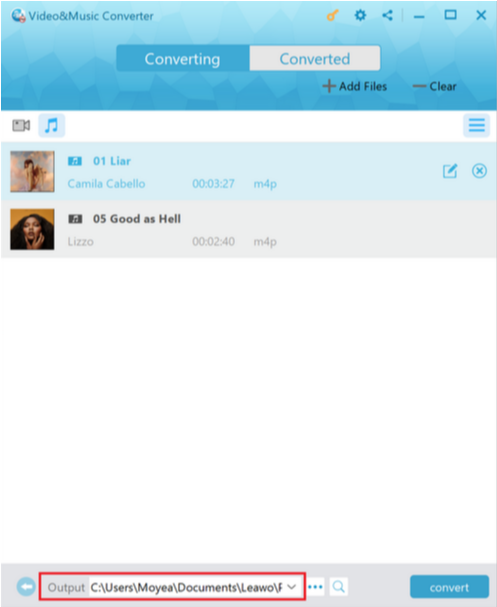
Step 3: Set output directory

Click the “Output” button at the bottom let corner to set output directory.

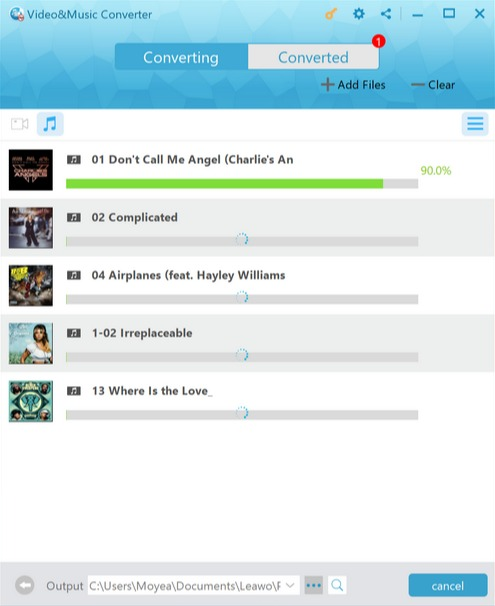
Step 4: Start converting iTunes music

Click the blue “Convert” button to start converting iTunes M4P music files.

Visit Full User Guide >
Step1 Step2 Step3 Step4

How to Convert Spotify Music

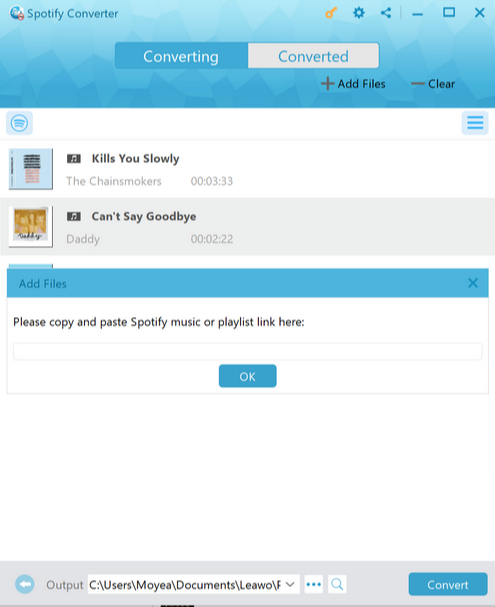
Step 1: Add Spotify music

Open the “Spotify Converter” module and then click the “Add Files” button to add Spotify music URL.

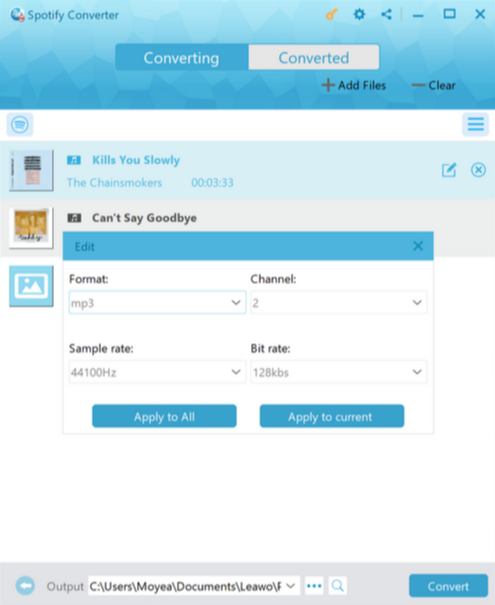
Step 2: Set output format

Click the pencil icon to output format, channel, sample rate, bit rate.

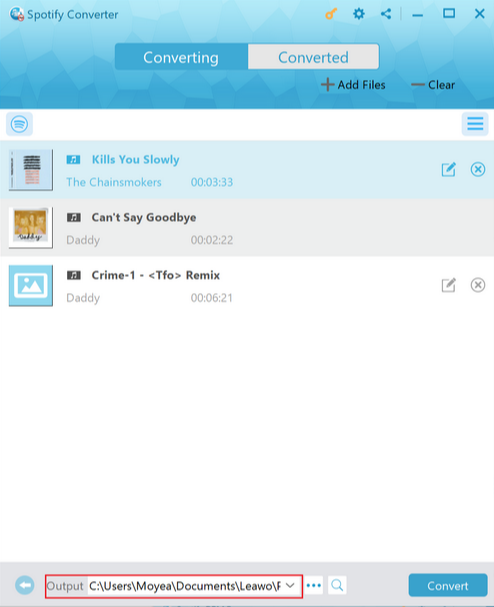
Step 3: Set output directory

Click the “Output” button at the bottom let corner to set output directory.

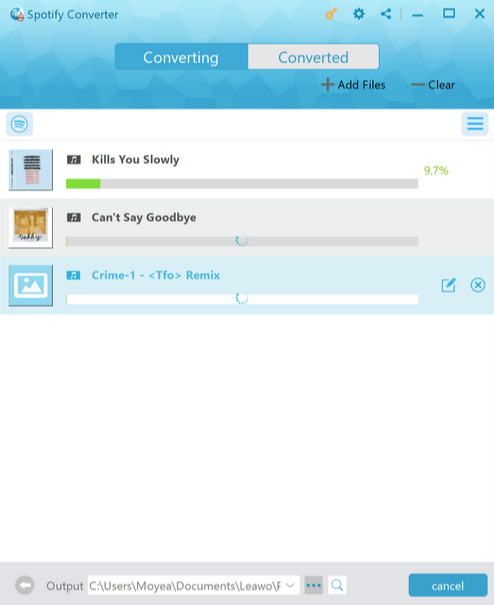
Step 4: Start converting Spotify music

Click the blue “Convert” button to start converting Spotify music to audio files.

Visit Full User Guide >
Step1 Step2 Step3 Step4

How to Convert iTunes/Audible Audiobooks

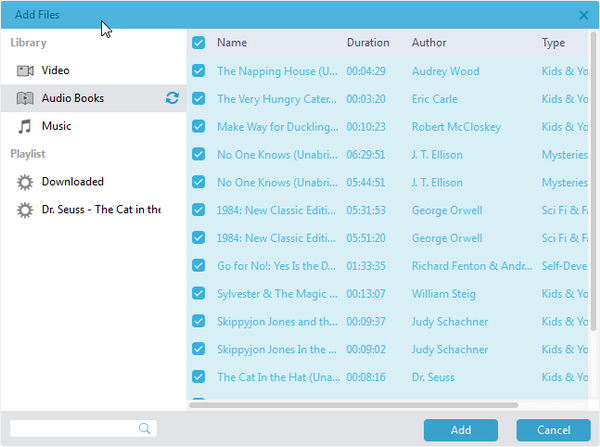
Step 1: Add audiobooks

Open the “Audible Converter” module and then click the “Add Files” button to add iTunes/Audible audiobooks.

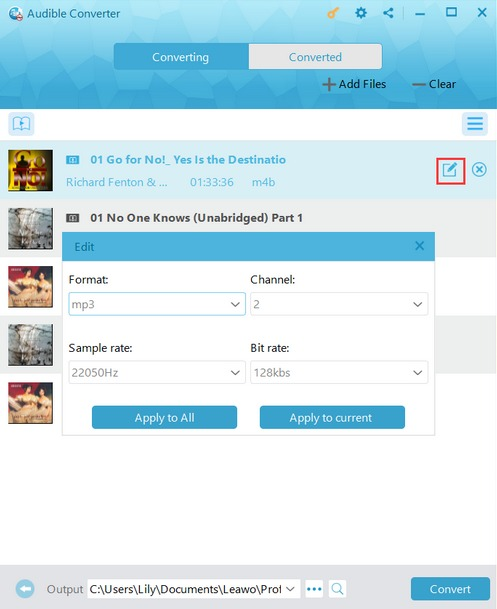
Step 2: Set output format

Click the pencil icon to output format, channel, sample rate, bit rate.

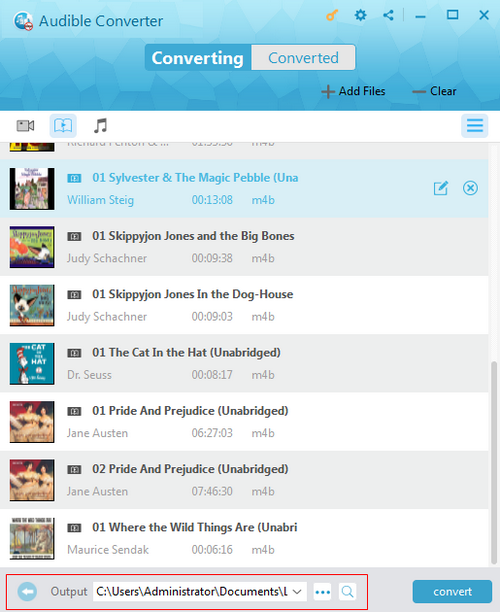
Step 3: Set output directory

Click the “Output” button at the bottom let corner to set output directory.

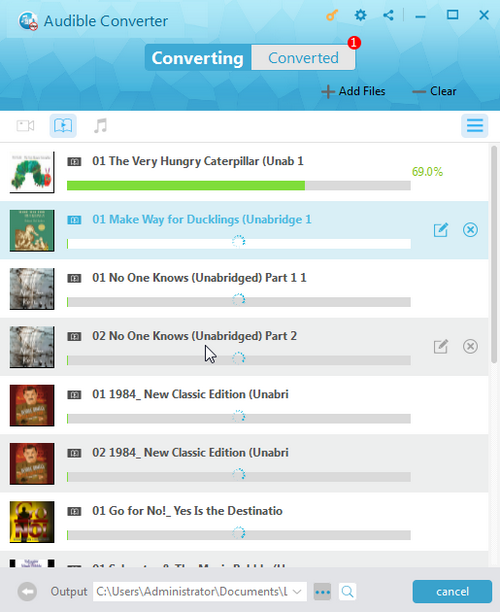
Step 4: Start converting audiobooks

Click the blue “Convert” button to start converting iTunes/Audible audiobooks.

Visit Full User Guide >
Step1 Step2 Step3 Step4

How to Convert Kindle, Adobe and Kobo eBooks

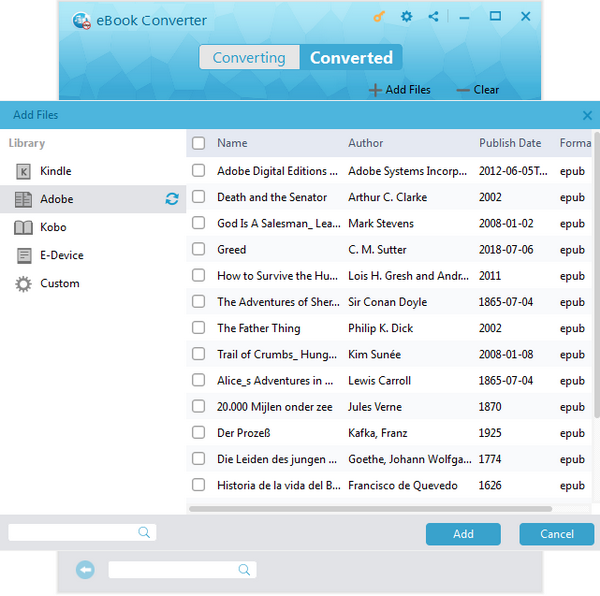
Step 1: Add eBooks

Open the “eBook Converter” module and then click the “Add Files” button to add eBooks from Kindle, Kobo or Adobe.

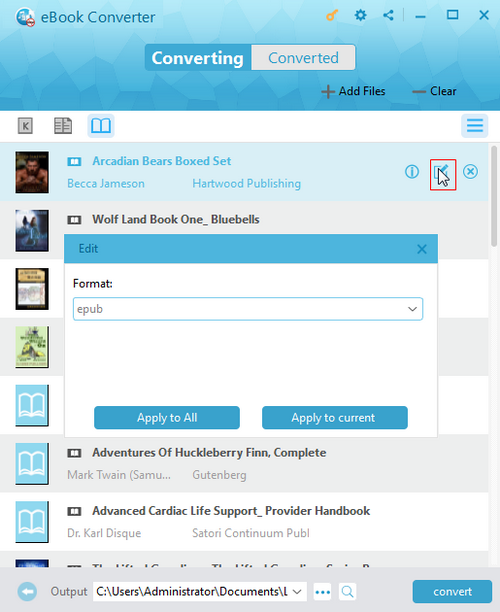
Step 2: Set output format

Click the pencil icon to output eBook format from ePub, MOBI, AZW3 and TEXT.

Step 3: Set output directory

Click the “Output” button at the bottom let corner to set output directory.

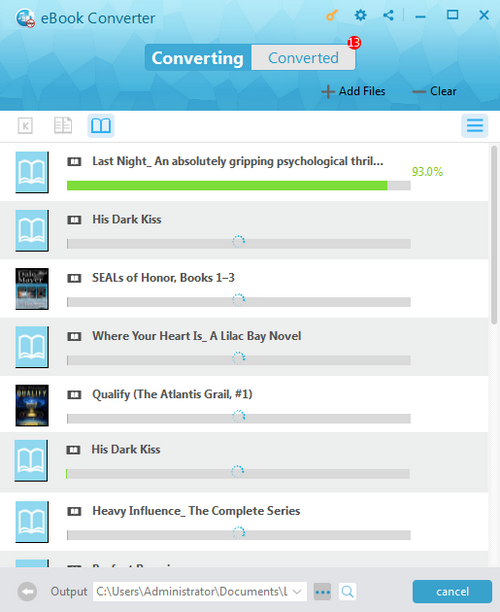
Step 4: Start converting eBooks

Click the blue “Convert” button to start converting Kindle/Kobo/Adobe eBooks.

Visit Full User Guide >
Step1 Step2 Step3 Step4

    System Requirments

    Leawo Prof. DRM
    Languages
    中文 English Japan deutsch francais Italiano Español 한국어

    Size 108 MB

    Version

    Update

    • Operating system : Microsoft® Windows 7, Windows 8, Windows 8.1, Windows 10, Windows 11
    • Processor : 1GHz Intel/AMD processor or above
    • RAM : 512MB RAM (1024MB or above recommended)
    • Others : non-Windows store version of iTunes (from 12.9.6.3-12.12.2.2); Internet Connection; Computer Authorization; QuickTime Installation for 32-bit Computer without Discrete Graphics; 64-bit Computer in Conversion of Video/Music/Audiobook
    • Operating system : macOS High Sierra (10.13), macOS Majave (10.14), macOS Catalina (10.15), macOS Big Sur (11), macOS Monterey (12), macOS Ventura(13), macOS Sonoma (14), macOS Sequoia (15), macOS Tahoe (26), macOS Tahoe(26) Notes: iTunes movies and TV shows won't convert on macOS 10.13 and later versions. iTunes audiobooks won't convert on macOS 10.15 and later versions.
    • Processor : 2.0GHz Intel Core 2 Duo or above and Apple M1/M2/M3 chip
    • RAM : 2G or above recommended
    • Others : iTunes 12.5 and later; Internet Connection; Computer Authorization;
    button

    Testimonials

    What Our Clients Say

    • avatar

      "

      I wanted to point out that your software is hard to find with google which is a shame because it appears to be the only one that works with more current versions of iTunes. Most drm removal apps require itunes 12.9 which apple no longer offers for download.

      • star
      • star
      • star
      • star
      • star

      Toby J

    • avatar

      "

      Leawo Prof. DRM helps me a lot as it can remove DRM from iTunes videos, and then convert M4V to MP4 for unlimited playback.

      • star
      • star
      • star
      • star
      • star

      Richard Brown

    • avatar

      "

      Wow! Leawo Prof. DRM is wonderful. I can use the program to remove iTunes DRM, and then watch iTunes movies and TV shows in common MP4 video format.

      • star
      • star
      • star
      • star
      • star

      Jason Anthoney

    button
    close

    Purchase Leawo Prof. DRM for Mac

    Windows
    Mac
    1 Year

    $ 24.99

    • 1 License for 1 PC
    • All Features for 1 Year
    • Auto-renewal. Cancel Anytime
    • 5 Days Money Back Guarantee
    • Unlimited Free Upgrades
    Top Seller
    Lifetime

    $ 49.99

    • 1 License for 1 PC
    • All Features for Lifetime
    • One-time Payment
    • 14 Days Money Back Guarantee
    • Unlimited Free Upgrades
    We Accept: